Schedules so flexible, the whole team can check them anytime

HR can define any shift, assign it to anyone, for any period, employees always know their schedule without having to ask.

Feature Insight

Everything you need in Jenjang HRIS Shift

Adapt and improve the Jenjang HRIS shift scheduling system to fit your organization's structure.

Two perspectives, one platform

Employees and HR/managers both have access to the shift calendar, each tailored to their role and needs.

Employee Perspective

Schedule transparency without having to ask

  • Check your shift schedule anytime in the app.
  • View the team's schedule for swap references.
  • A clear and simple calendar view.

HR/Manager Perspective

Clear view of schedules organization-wide.

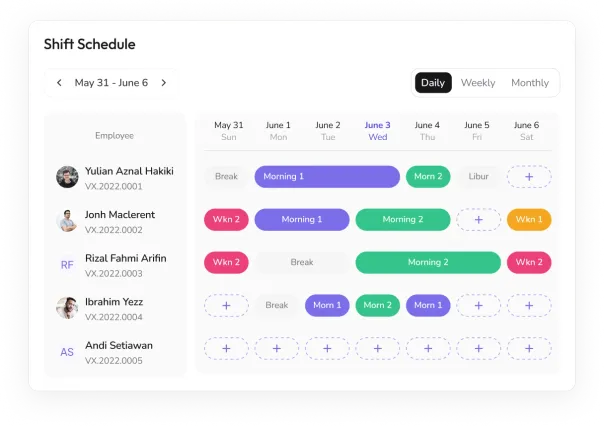
  • See all employees' shifts in one calendar.
  • Filter by department or by individual as needed
  • Easily spot empty shifts or staffing shortages
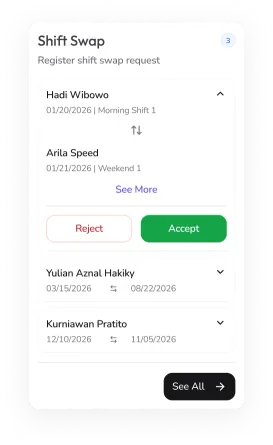
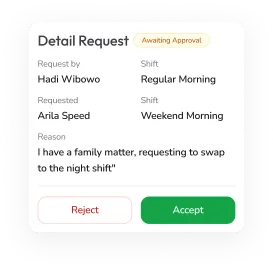
Employees can swap schedules with their coworkers

Flexible shift coordination without messy group chats, every request and approval is logged and runs on automatic notifications.

  • Employees can easily request a shift swap with a coworker through the app.
  • Before making a request, employees can check the team schedule to see who is available for a swap.
  • HR can set whether swaps need approval or happen right away.
  • Automatic notifications are sent to the employee being asked to swap.
  • Both employees receive notifications once the swap is approved or denied.
Shift swap request listShift swap request detail

Define any shift, to fit your company's needs

From standard morning shifts to split shifts, tailor schedules to fit your company's needs.

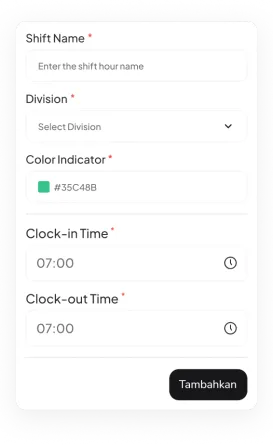
Shift schedule viewCreate shift form

HR Dashboard

Full control over scheduling across the organization

Bulk Scheduling

Easily set up schedules for multiple employees at once, saving time and minimizing mistakes.

Full Visibility

See the whole organization's shift schedule in one easy-to-read calendar, with options to filter by department or person.

HR planning shift schedules on a calendar

Connect With Jenjang HRIS Ecosystem

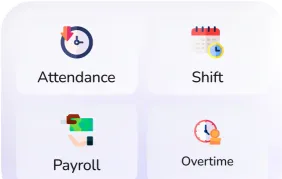
Jenjang HRIS ecosystem modules

Permission Management

Decide who can create and change shift schedules (HR, managers, or both) based on company rules.

Shift Flow

From shift definition to employee schedule, in just a few steps

1

Create Shift

HR/managers define the name, clock-in time, clock-out time, and lateness tolerance

2

Assign to Employee

Choose employees and the effective period, assign individually or in bulk at once

3

Schedule Saved

Employees can immediately see their schedule in the Jenjang app, no manual notification needed

4

Monitor from Dashboard

HR/managers track the whole team's schedule in one unified calendar view

FAQ

Shift questions, answered

HR can define any shift and assign it to any employee for any period; schedules are published to the whole team.

Turn Instinct Into Certainty

Join 300+ organizations making smarter talent decisions with Jenjang.

Request Demo

135 K+

Registered Users

183 K+

Assessments Completed

1 M+

People Data Points